 ShipGeek Docs
Setting Up Your Store
Once your store is connected, a few details need to be confirmed before you publish anything.
Business info
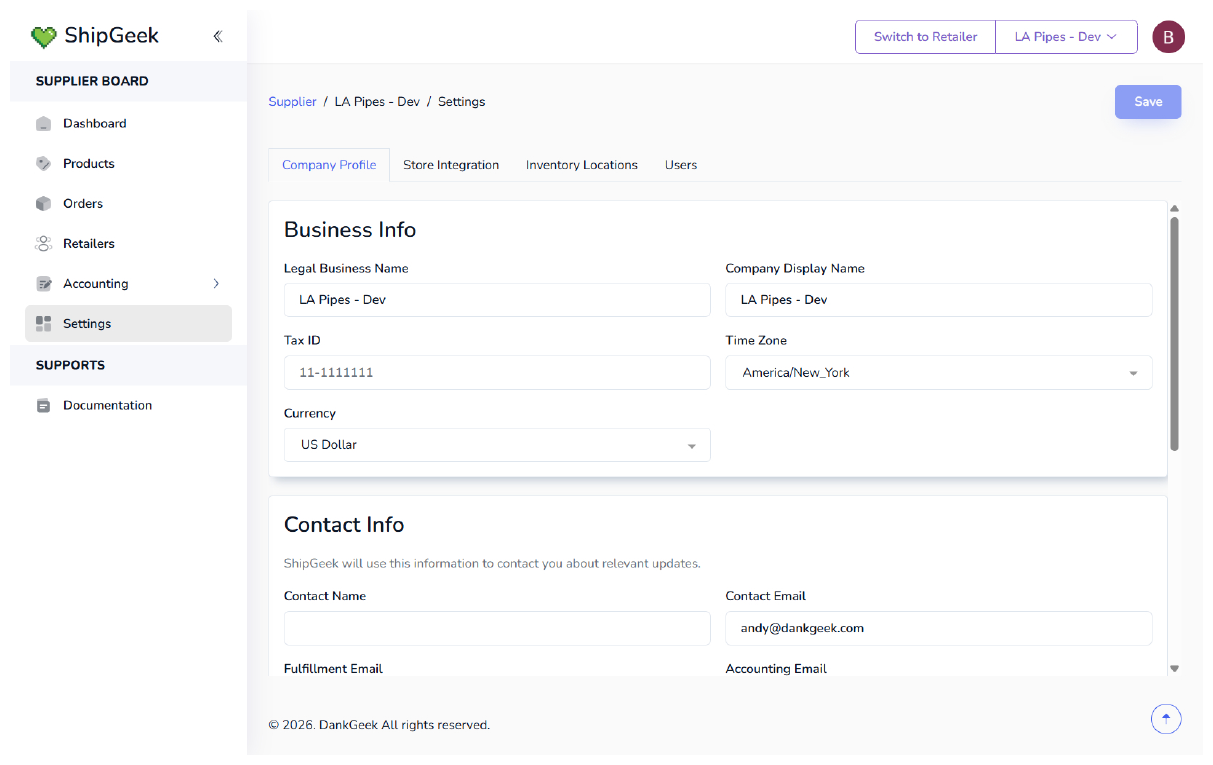
Under Settings → Company Profile, fill in:
- Legal Business Name and Company Display Name
- Tax ID
- Time Zone and Currency
Contact info
ShipGeek uses these to reach you about relevant updates:
- Contact Name and Contact Email
- Fulfillment Email
- Accounting Email
✦
Most of this lives under Settings in the Supplier Board — see the Settings reference page for the button-by-button breakdown.